From first call to demand — keep every PI case moving.
FirmLink gives high-volume PI firms a local overflow line, missed-call capture, intake workflow, client portal, document collection, case analysis, gap detection, and Wynn virtual employee built to move matters beyond first response with less manual follow-up.
No credit card required. Guided setup included.
Built first for PI. Practice-aware for immigration, DWI defense, and business law.
Demo Preview
Free Case Evaluation Demo
The walkthrough video is being refreshed.
The story is bigger than answering the phone.
FirmLink connects the front-office safety net to the case work that follows: signature, collection, analysis, gap detection, and attorney-reviewed preparation.
Missed lead
Overflow call handling and case evaluation links keep the opportunity from disappearing.
Signed client
Qualified leads move into engagement and e-sign workflows under firm rules.
Documents collected
Portal tasks, uploads, signatures, and messages stay tied to the matter.
Case analyzed
Wynn reviews records, bills, evidence, and case details for attorney review.
Gaps found
Missing items, chronology gaps, and follow-up needs are surfaced earlier.
Demand readiness
Preparation blockers stay visible before the team stalls.
Better output
Each employee can push more case work forward with attorney control intact.
A missed-call capture safety net, not the whole product.
Most PI leads do not wait. Wynn answers when staff cannot, takes callback notes, routes the opportunity, prepares a summary, and keeps the next step attached to the same matter workflow.
Call Wynn: (210) 879-7171Dedicated local overflow number
Missed-call capture safety net
Busy-line support
After-hours intake
Takes callback notes
Routes potential PI cases
Summarizes the lead
Connects to next-step workflows
Documents become a usable case picture.
Upload medical records, evidence, letters, bills, and case documents. Wynn helps summarize key facts, organize chronology, identify missing items, and surface preparation blockers for attorney review.
Document Review
Summaries and key facts from uploaded medical records, evidence, letters, bills, and case documents.
Chronology Builder
Important dates, treatments, events, communications, and deadlines organized clearly for attorney review.
Missing Item Detection
Spot missing records, bills, signatures, evidence, and treatment context before they slow preparation.
Case Prep Status
Keep preparation blockers visible so staff know what to collect, confirm, or escalate next.
Attorney-Controlled Output
AI assists with organization and analysis. Your firm reviews, edits, and approves the work product.
Does your firm handle more than PI?
FirmLink is built first for PI, but mixed firms do not need separate systems. We can onboard the practice areas your firm actually handles and keep each workflow intentional.
How FirmLink fits
Built for high-volume PI intake.
Capture busy-line calls, after-hours leads, accident facts, injuries, insurance details, documents, retainers, and follow-up in one PI-first workflow.
Your implementation partner, not just another software vendor.
Technology is changing fast. FirmLink helps your firm adopt the tools that matter without hiring an internal tech team. We help configure your workflows, modernize your client-facing systems, and keep improving your operations as legal technology evolves.
Front Office Modernization
Website upgrade, local overflow line, missed-call capture, free case evaluation, bilingual lead response, and client portal.
Back Office Modernization
Document analysis, summaries, chronology, missing-item detection, case-prep status, document requests, and follow-up workflows.
Direct Developer Support
Work directly with the team building FirmLink for faster support, workflow improvements, and practical implementation.
Front office modernization
Modern website experience
Local overflow line and missed-call capture
Free Case Evaluation links
Bilingual lead capture
Client portal access
Back office modernization
Document analysis
Case summaries
Chronology and missing item detection
Case-prep status
Follow-up workflows
We can modernize your website, too.
During onboarding, qualified firms can receive a modern FirmLink-powered website experience with Free Case Evaluation forms, overflow-line routing, client portal access, and intake workflows connected from day one.
Modern first impression
Connected case evaluation
Overflow-line routing
Client portal access
Mobile-first intake
Launch support
Live overflow-line demo
Hear the safety net around your staff.
Call Wynn and experience how FirmLink handles busy-line overflow, after-hours inquiries, and unanswered calls before the opportunity moves into intake, engagement, and case follow-up.
(210) 879-7171
Built for Texas PI work, with nearby states in mind.
FirmLink focuses on the pressure points inside PI operations: first response, signed-client movement, document collection, case analysis, missing-item follow-up, and attorney-controlled next steps. The same platform is now practice-aware for immigration, DWI defense, and business law.
Regional coverage
Built in Texas for firms serving Texas and nearby markets across the South and Southwest.
The goal is simple: help your team move more active case work per employee without turning every next step into manual follow-up.
More case work moving without more administrative drag.
FirmLink Legal is built for PI firms that need faster response, cleaner intake, document collection, document analysis, client follow-up, and clear case status without losing human review. Practice-aware workflows help firms support immigration, DWI defense, and business law without PI language leaking into those matters.
AI Receptionist for Law Firms
Use a local overflow line and missed-call capture safety net around your staff.
Legal Intake Automation
Capture phone, web, SMS, and case evaluation details in a cleaner starting point.
Personal Injury Law Firm Automation
Organize accident facts, injuries, insurance, treatment, documents, gaps, and case preparation.
Immigration Law Firm Automation
Support bilingual intake, document review, consultation prep, and client updates.
Legal Client Portal
Stop chasing uploads, signatures, messages, and missing client items manually.
Wynn Operational AI
Give your team an easy virtual employee for summaries, routing, follow-up, scheduling, document review, and firm work.
Wynn assists. Attorneys stay in control.
FirmLink is not designed to replace legal judgment. Wynn gathers facts, prepares summaries, recommends next steps, and executes approved workflows while attorneys and staff keep control over matter acceptance, sensitive messages, and engagement decisions.
Attorneys decide whether to accept, decline, or escalate a matter.
Sensitive actions can require approval before documents or messages go out.
AI summaries and recommendations stay visible in the dashboard for review.
Audit history shows what Wynn recommended, what a human approved, and what action happened.
Demo Video
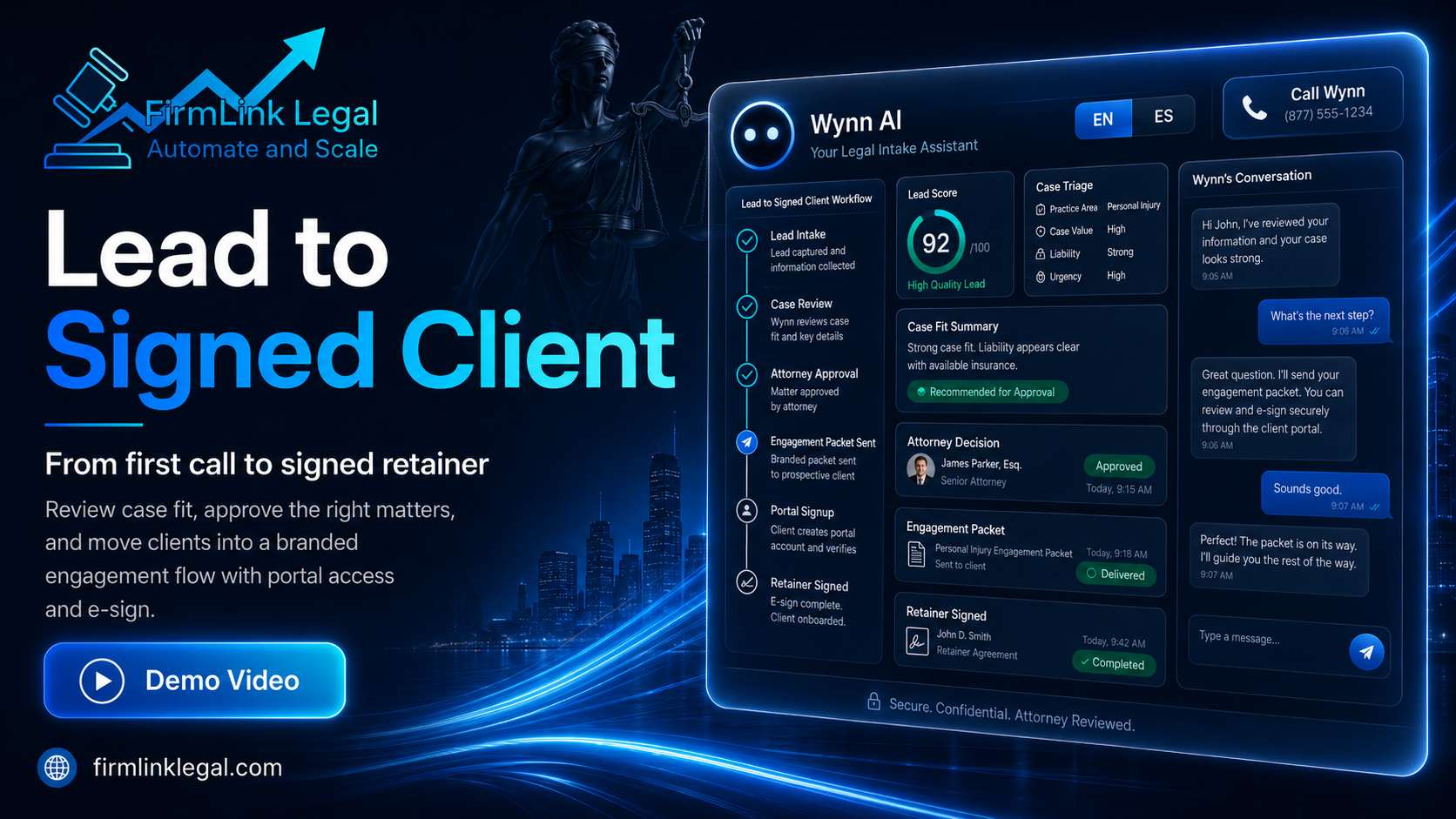
Lead to Signed Client Workflow
Each handoff stays visible.
FirmLink connects calls, case evaluations, alerts, engagement steps, document collection, analysis, gaps, and client portal work so your team can see what happened and what needs attention next.
Overflow calls and case evaluations create a tracked opportunity
Firm rules guide the move from lead to signed client
Portal work collects documents, signatures, messages, and tasks
Records, bills, evidence, and case details are summarized for review
Missing items, chronology gaps, and follow-up needs surface early
Preparation blockers stay visible before the team stalls
Staff output improves while attorneys keep control
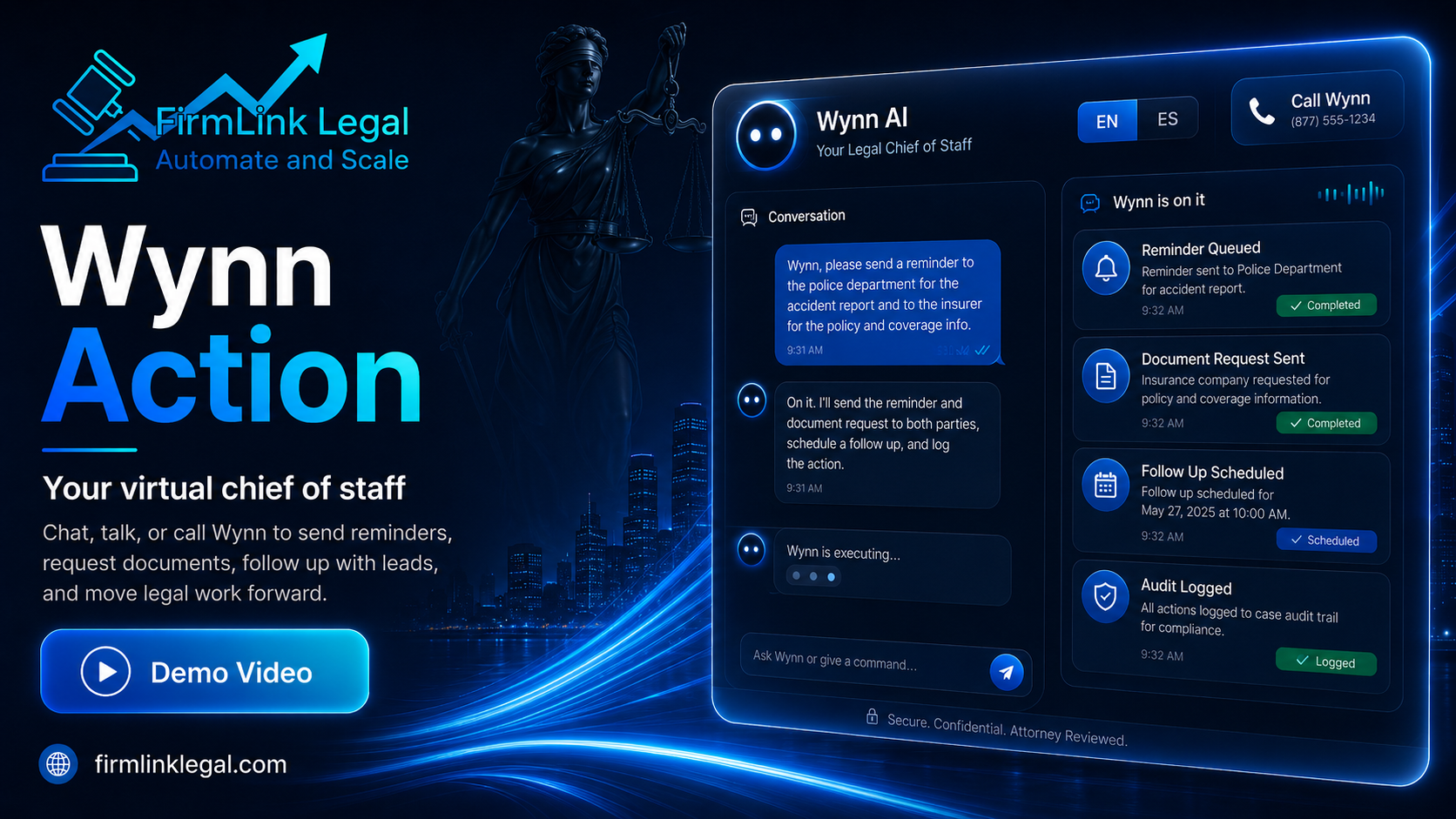
Wynn helps every employee move more case work.
Wynn helps draft, summarize, schedule, route, research, review documents, surface gaps, and move work through the firm while attorneys stay in control.
Demo Video
Wynn Action Demo
We do the heavy lifting with you.
FirmLink is designed for firms that want modern technology without spending months figuring it out alone. We help set up your intake, receptionist, portal, workflows, website experience, and AI tools so your team can focus on serving clients.
Support 1
Guided onboarding
Support 2
Matter workflow setup
Support 3
Website modernization options
Support 4
Overflow line configuration
Support 5
Intake and follow-up setup
Support 6
Document and case-prep setup
Support 7
Direct support from the builder
Demo Video
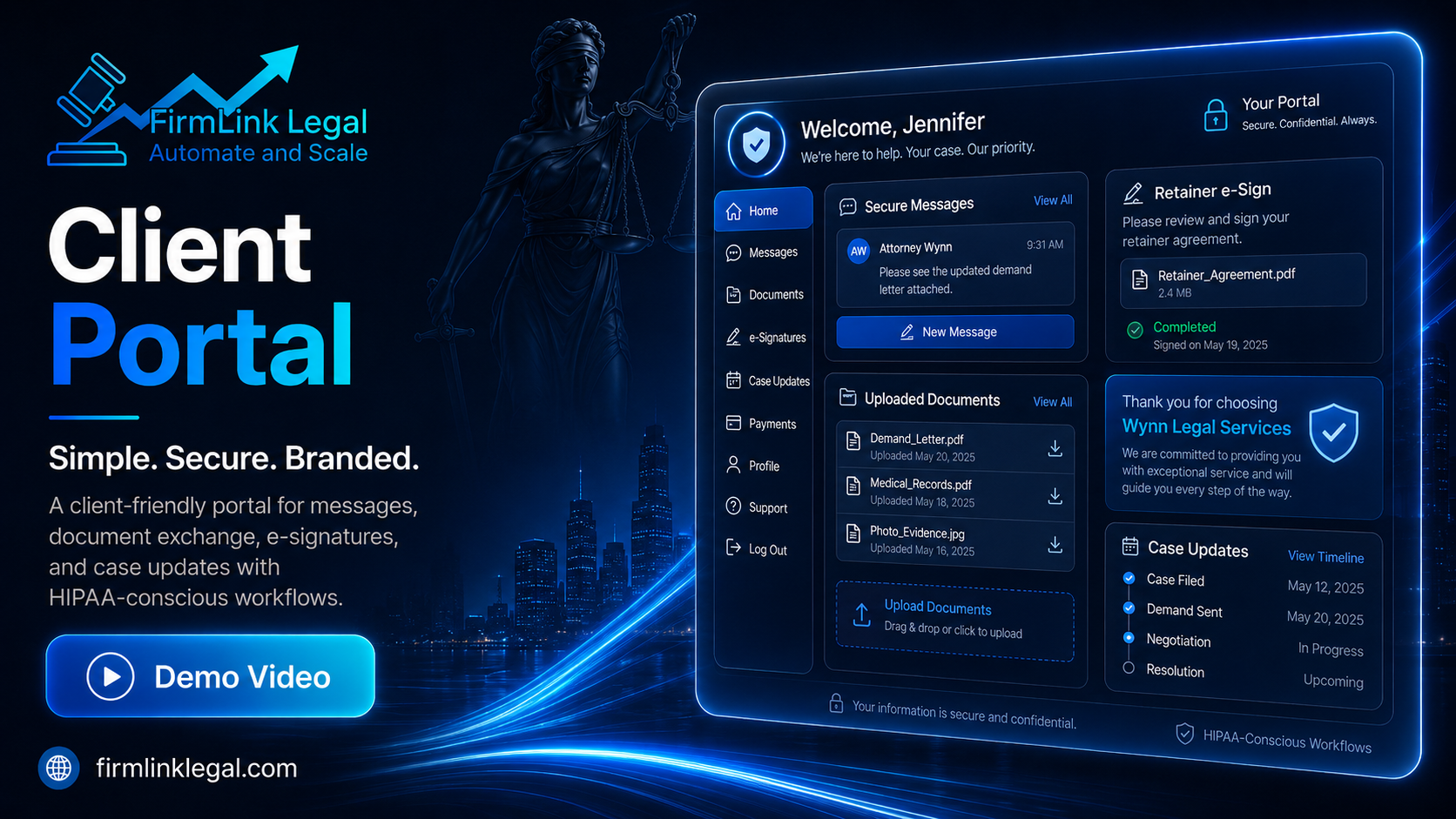
Client Portal Demo
Stop chasing the same missing items.
Collect uploads, signatures, messages, and missing items through a branded portal built to keep clients and case preparation moving.
Built to evolve with your firm.
Legal technology will keep changing. Your firm should not have to chase every new tool, vendor, or trend alone. FirmLink helps you adopt what matters, standardize the work, and keep attorney review built into the process.
Direct access to the team building your platform.
No endless ticket queues. No generic support maze. FirmLink customers get direct implementation support from the team building the product, including lead-developer involvement when workflows, fixes, or future ideas need hands-on attention.
Workflow improvements
Hands-on fixes
Future ideas
One platform for the work between intake and resolution.
One connected dashboard for calls, leads, e-sign, document analysis, communications, calendar, research, client tasks, and workflow visibility.
Local Overflow Line
Answers missed, after-hours, and busy-line PI calls as a safety net around your staff.
Lead Response Engine
Routes new opportunities and follow-up before qualified leads go cold.
Free Case Evaluation Link
Turns website and campaign traffic into structured intake instead of weak contact forms.
Client Portal
Secure uploads, messages, e-sign, and task follow-up under your firm's brand.
Engagement Workflow
Moves qualified leads toward signature with attorney-controlled document and e-sign workflows.
Document Analysis
Wynn reviews uploaded records, bills, evidence, RFEs, NOIDs, and notices, then surfaces review-required findings.
Case Prep Status
Missing items, chronology gaps, and case blockers stay visible before preparation stalls.
Wynn Virtual Employee
Drafts, summarizes, schedules, routes, researches, follows up, and helps move case work forward.
Virtual Consultations
Connects scheduling and meeting workflows to the same operational dashboard.
Unified Case Timeline
Calls, documents, notes, messages, and actions stay organized in one auditable place.
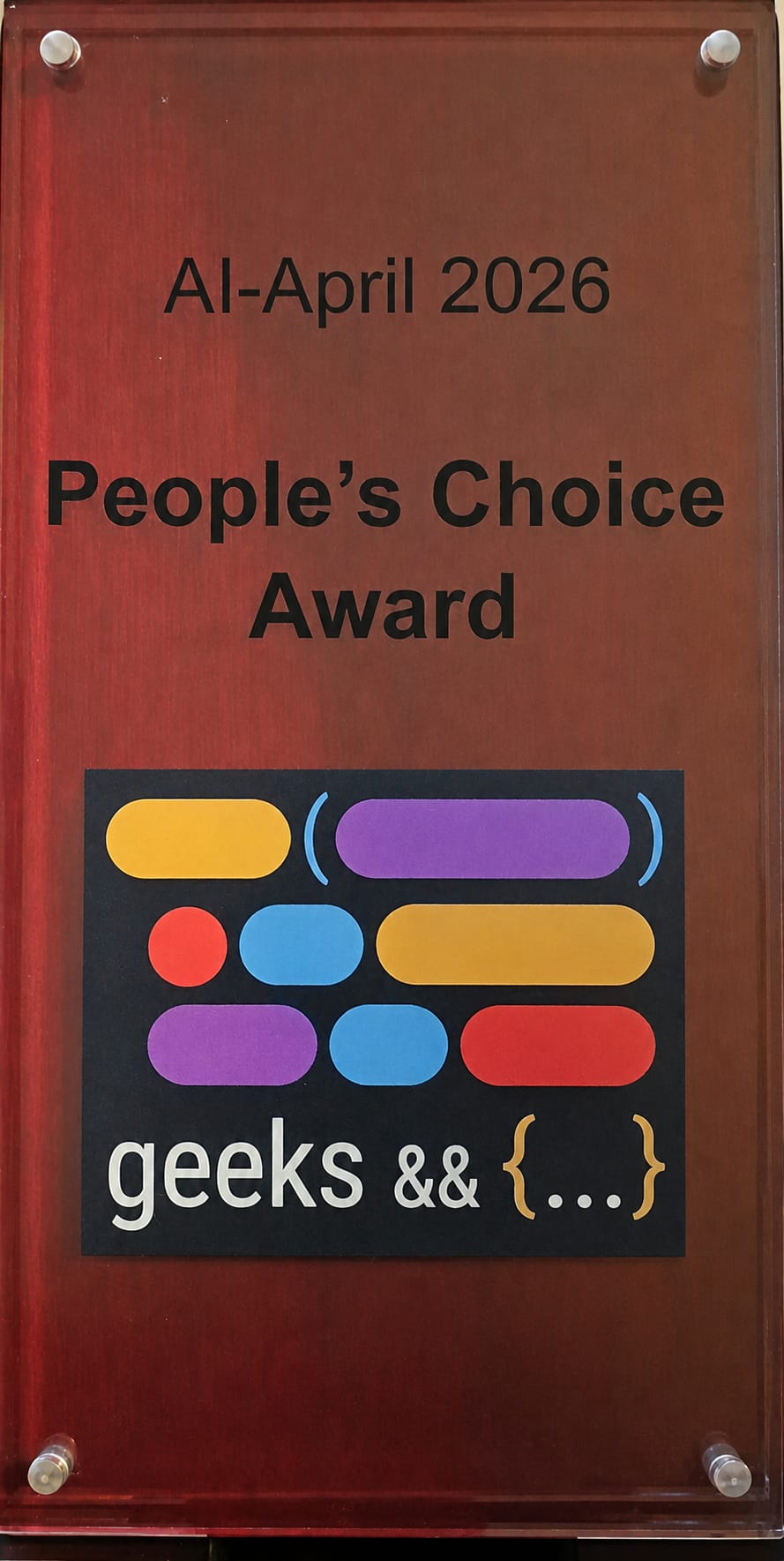
Winner - People's Choice Award
Geekdom AI April Showcase
San Antonio, Texas
Frequently asked questions
What is FirmLink Legal?
FirmLink Legal helps high-volume PI firms connect lead response, intake, client portal work, e-sign, scheduling, document review, missing-item detection, and attorney-controlled follow-up. It is built first for personal injury teams and expanded with practice-aware workflows for immigration, DWI defense, and business law.
Is FirmLink built for attorneys?
Yes. FirmLink is built for attorneys, solo firms, and small-to-mid-size firms that need faster lead response, bilingual communication, PI-first workflows, practice-aware intake, document review, and attorney-supervised automation.
How does the AI receptionist help capture missed leads?
Wynn works as a local overflow line and missed-call capture safety net when phone lines are busy, calls go unanswered, or prospects call after hours. It can take notes for staff callback, route the opportunity, summarize the lead, and connect the next step to the firm's intake and engagement workflows.
How does FirmLink help PI workflows?
FirmLink helps PI firms move matters forward by organizing intake, lead details, treatment-gap follow-up, document requests, document analysis, missing-item detection, chronology, client portal tasks, and attorney-controlled next steps.
Can Wynn analyze uploaded documents?
Yes. Wynn can analyze uploaded records, bills, evidence, RFEs, NOIDs, notices, and supporting documents, then surface review-required findings for attorneys and staff before anything is used in a matter.
Does AI make legal decisions in FirmLink?
No. Wynn can gather facts, draft, summarize, schedule, route, research, and prepare next steps, but attorneys and firm staff remain responsible for legal judgment, matter acceptance, and sensitive client decisions.
Give your team a cleaner way to move PI work.
Start with missed-call capture and intake, then keep documents, client tasks, analysis, and follow-up connected as the case develops.
No credit card required.